4K IPTV Streaming: What You Need to Know
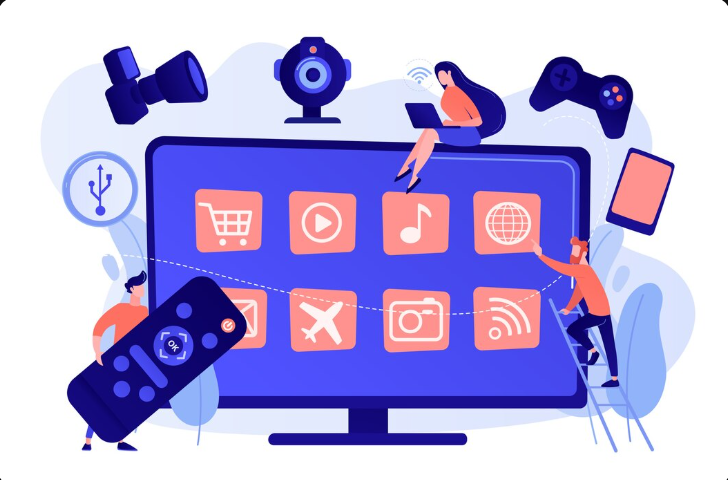
4K IPTV streaming can provide a sharper and more detailed viewing experience when the content, device, internet connection and display are all capable of handling Ultra HD video.
Streaming technology has changed the way people watch television, movies, sports and other video content. Instead of relying only on traditional television broadcasting, viewers can use internet-connected devices to access streaming services and live television platforms.
Among the available video formats, 4K Ultra HD has become increasingly popular because it provides substantially more detail than standard HD and Full HD. However, simply having a 4K television does not automatically guarantee 4K playback. The content source, streaming device, internet connection and display all play a role.
In this guide, we will explain what 4K IPTV streaming means, what equipment you need, how much internet speed may be required and what you can do to improve your overall viewing experience.
What Is 4K IPTV Streaming?
IPTV generally refers to television or video content delivered over an internet connection rather than through traditional broadcast, cable or satellite delivery methods.
4K refers to a video resolution commonly associated with 3840 × 2160 pixels for consumer television displays. This provides significantly more pixels than 1920 × 1080 Full HD.
The increased resolution can produce a sharper and more detailed picture, especially when viewed on a larger screen or from an appropriate viewing distance.
However, a 4K display alone is not enough. The video being streamed must also be available in 4K and the complete playback setup must support the required resolution.
4K vs Full HD: What Is the Difference?
Full HD commonly uses a resolution of 1920 × 1080 pixels, while consumer 4K UHD commonly uses 3840 × 2160 pixels.
That means a 4K image contains approximately four times as many pixels as a 1080p image.
The difference can be particularly noticeable on larger televisions. Fine details, text, scenery and other elements can appear sharper when the original content is actually produced and delivered in 4K.
It is important to remember that increasing the resolution of a television does not turn lower-resolution content into genuine 4K. A 1080p source may be upscaled by a television or streaming device, but it is still different from native 4K content.
What Do You Need for 4K IPTV Streaming?
A reliable 4K streaming setup normally requires several components working together.
- A 4K-capable television or display
- A compatible streaming device or Smart TV platform
- A stable and sufficiently fast internet connection
- Content that is actually available in 4K
- Compatible HDMI hardware where an external device is used
- A streaming application that supports the required video quality
If one part of the setup does not support 4K, the playback quality may be limited to a lower resolution.
How Fast Should Your Internet Be for 4K?
Internet speed is one of the most important factors in high-resolution streaming. 4K video generally requires more bandwidth than HD or Full HD video.
The exact requirement varies by streaming service, video compression, network conditions and the type of content being streamed.
For example, Netflix currently recommends a stable internet connection of at least 15 Mbps for 4K UHD streaming. Other platforms may recommend higher speeds, and having additional bandwidth can be useful when multiple devices are using the same connection.
For a home where several people are simultaneously browsing the web, gaming, making video calls or streaming video, a faster internet package can provide more headroom.
Is 15 Mbps Enough for 4K IPTV?
A stable 15 Mbps connection may be sufficient for some 4K streaming services, but it should not be treated as a universal requirement for every IPTV or streaming platform.
Different services use different encoding methods and bitrates. Network congestion, Wi-Fi performance and other household activity can also affect the amount of bandwidth actually available to the streaming device.
For that reason, a connection with additional capacity can be useful, especially if multiple devices are connected to the same network.
Does Wi-Fi Work for 4K Streaming?
Yes. 4K streaming can work over Wi-Fi when the wireless network is fast and stable enough.
However, the speed of your internet package and the quality of your Wi-Fi connection are not necessarily the same thing.
A fast internet package may still provide poor streaming performance if the television is far from the router, there is significant wireless interference or the network is heavily congested.
Tips for Better 4K Wi-Fi Streaming
- Place the router in a relatively open and central location.
- Avoid placing the router behind large objects or inside cabinets.
- Use a suitable modern Wi-Fi connection when available.
- Reduce unnecessary network activity during important streams.
- Keep your router firmware and streaming device software updated.
Is Ethernet Better Than Wi-Fi for 4K?
A wired Ethernet connection can provide a more consistent connection than Wi-Fi in situations where wireless interference or signal strength is causing problems.
If your Smart TV or streaming device supports Ethernet and is located near your router, using a network cable can be a practical way to reduce wireless-related instability.
Ethernet is not automatically necessary for every 4K setup. A strong and reliable Wi-Fi network can also provide excellent streaming performance.
Which Devices Can Stream 4K?
Many modern Smart TVs and dedicated streaming devices support 4K playback. The exact capabilities depend on the model and the application being used.
Common categories of devices that may support 4K include:
- 4K Smart TVs
- Android TV and Google TV devices
- 4K streaming sticks and media players
- Compatible game consoles
- Computers with suitable hardware and displays
- Other certified 4K media streaming devices
Always check the specifications of the specific device rather than assuming that every model in a product family supports 4K.
Why Does a 4K TV Sometimes Show Lower Quality?
A television being labeled as 4K does not mean every video displayed on it will be 4K.
A streaming service may provide different resolutions depending on the content, subscription, application, device and network conditions.
If the original video is available only in HD, a 4K television can upscale the image, but the source itself is still not native 4K.
Higher-quality playback also depends on compatible equipment and suitable 4K-capable hardware.
What Is HDR and Why Does It Matter?
HDR stands for High Dynamic Range. It is a picture technology designed to improve aspects such as brightness, contrast and color range.
4K and HDR are related but they are not the same thing.
A video can be 4K without HDR, while compatible content can support both 4K resolution and HDR.
Depending on the device and content, HDR formats can include HDR10, HDR10+, Dolby Vision and other supported standards.
To experience HDR, the television, streaming device and content must support the appropriate HDR format.
Does HDMI Matter for 4K Streaming?
HDMI compatibility can become important when you connect an external streaming device to your television.
The exact HDMI requirements depend on the resolution, refresh rate, HDR format and equipment being used.
Some 4K setups also require HDCP compatibility for protected content.
If you are not receiving the expected picture quality, check which HDMI port your television supports for 4K and whether your external equipment and cable are compatible.
How to Get Better 4K IPTV Picture Quality
If your equipment supports 4K but the picture does not look as good as expected, several basic checks can help.
1. Confirm the Content Is Actually 4K
First, check whether the program or stream is genuinely offered in 4K. A 4K television cannot create native 4K detail from a lower- resolution source.
2. Check Your Internet Connection
Run a speed test from a suitable device and check whether your connection is stable. Remember that the speed available to your television can differ from the advertised maximum speed of your internet package.
3. Check Your TV Settings
Review the television's picture settings and confirm that the appropriate picture mode, HDR settings and HDMI settings are enabled where necessary.
4. Update Your Streaming Device
Software updates can improve compatibility, performance and stability. Keep your Smart TV or external streaming device updated when updates are available.
5. Check the HDMI Connection
If you are using an external streaming device, make sure it is connected to a compatible HDMI port and that the cable is appropriate for your setup.
Why Does 4K IPTV Buffer?
Buffering does not always mean that your internet package is too slow. There are several possible causes.
- Unstable Wi-Fi
- Network congestion
- Too many devices using bandwidth
- Router performance problems
- Streaming device limitations
- Application problems
- Temporary service-side issues
- Insufficient bandwidth for the selected video quality
If only one stream or channel has problems while others work normally, the issue may not be related to your home internet connection.
How to Reduce 4K Streaming Buffering
If your 4K stream frequently pauses, try the following troubleshooting steps:
- Restart your router.
- Restart the streaming device or Smart TV.
- Move the device closer to the router if using Wi-Fi.
- Try Ethernet if a wired connection is available.
- Pause downloads and other high-bandwidth activities.
- Check your internet speed and stability.
- Update the streaming application.
- Clear the application cache if supported.
- Check whether other channels or services have the same issue.
- Contact your internet provider if the connection remains unstable.
How Much Data Does 4K Streaming Use?
4K streaming generally consumes more data than HD or Full HD because the video contains substantially more visual information.
Actual data consumption depends on the video's bitrate, compression, frame rate, duration and streaming platform.
If your internet plan has a monthly data allowance, frequent 4K streaming can use that allowance more quickly than lower-resolution streaming.
Can You Stream 4K on Mobile Internet?
Technically, 4K streaming can work over a sufficiently fast mobile connection when the device, network and streaming service support it.
However, mobile networks can vary considerably in speed and stability. Data usage is another important consideration if your mobile plan has a limited allowance.
For regular home 4K streaming, a stable broadband connection is generally more practical.
4K IPTV on Smart TVs
Smart TVs can be convenient for IPTV and other streaming services because they can run compatible applications without requiring a separate streaming box.
Before choosing an application, check that it is compatible with your television's operating system and that it supports the video formats and resolutions you need.
The television's processor, available storage, software version and network connection can also affect the overall experience.
4K IPTV on External Streaming Devices
An external streaming device can be useful if your television has an older or limited Smart TV platform.
Dedicated streaming hardware may provide a newer operating system, additional application support and better performance than an older built-in TV platform.
When selecting an external device, check its maximum supported resolution, HDR support, network options and compatibility with the applications you plan to use.
What If Your Internet Is Fast but 4K Still Looks Poor?
Internet speed is only one part of the equation. If a 4K stream looks soft, blurry or inconsistent despite having a fast connection, check the entire playback chain.
- Confirm the content source is available in 4K.
- Check the streaming application's quality settings.
- Verify that your TV is receiving the expected resolution.
- Check HDMI compatibility when using an external device.
- Check whether HDR is supported by both the content and hardware.
- Update the TV and streaming device software.
- Test another known 4K source on the same television.
Testing another 4K service or application can be useful because it helps determine whether the problem is related to the television, network or a particular stream.
4K Streaming Checklist
Before troubleshooting a 4K streaming problem, work through this quick checklist:
- Is the television actually 4K capable?
- Is the content available in native 4K?
- Does the streaming device support 4K?
- Is the internet connection fast enough?
- Is the connection stable?
- Is Wi-Fi signal strength good enough?
- Would Ethernet provide a more stable connection?
- Is the HDMI connection compatible?
- Are the TV and streaming device updated?
- Does the streaming application support the required quality?
Important: IPTV technology can be used for many legitimate streaming applications. Always use IPTV services and content that you are legally authorized to access in your country or region.
Frequently Asked Questions About 4K IPTV Streaming
Is IPTV available in 4K?
Yes, some IPTV and streaming services can provide 4K content when the source, subscription, application, device and network support the required quality.
What internet speed is recommended for 4K streaming?
Requirements vary between services. A stable connection with sufficient bandwidth is important, particularly when multiple devices share the same network.
Do I need a 4K Smart TV?
You need a 4K-capable display to see native 4K resolution. If your television is not 4K, an external streaming device cannot make the display show native 4K resolution.
Can Wi-Fi handle 4K streaming?
Yes. A strong and stable Wi-Fi connection can support 4K streaming. However, wireless interference, distance from the router and network congestion can affect performance.
Is Ethernet better for 4K?
Ethernet can provide a more consistent connection and can be useful when Wi-Fi is unstable. It is not mandatory if your Wi-Fi connection is already reliable.
Does every 4K TV support HDR?
No. 4K resolution and HDR are separate features. Check the specifications of your television and streaming device to determine which HDR formats are supported.
Why does my 4K stream keep buffering?
Buffering can result from unstable internet, weak Wi-Fi, network congestion, device limitations, application problems or issues with the stream itself. Testing other services and checking your network can help identify the cause.
Final Thoughts
4K IPTV streaming can deliver an impressive viewing experience, but getting the best results requires more than simply owning a 4K television.
Your content source, streaming application, device, internet connection, HDMI setup and display all contribute to the final picture quality.
Start by making sure your content is genuinely available in 4K and that your television and streaming device support the required resolution. Then check your internet connection and network setup.
With compatible equipment, a stable connection and properly configured settings, you can enjoy sharper and more detailed Ultra HD streaming while reducing many of the common problems associated with high-resolution playback.
Explore More IPTV Guides
Discover more IPTV tips, streaming guides and helpful articles on our blog.
Explore More Articles